Minecraft Classic
Best for Players who want a small creative building session or a look at early Minecraft.
Desktop is the editorial recommendation when compatibility is unresolved. Requires WebGL and WebRTC. The test browser did not meet those requirements.
Official Classic edition · WebGL/WebRTC compatibility issue seen in research browser
Official Classic edition · WebGL/WebRTC compatibility issue seen in research browser. This was observed in the research environment, not established for every device.
Opens the recorded third-party game entry in a new tab. You may still need to choose a mode, press Start or wait for a download. This directory does not host the game.
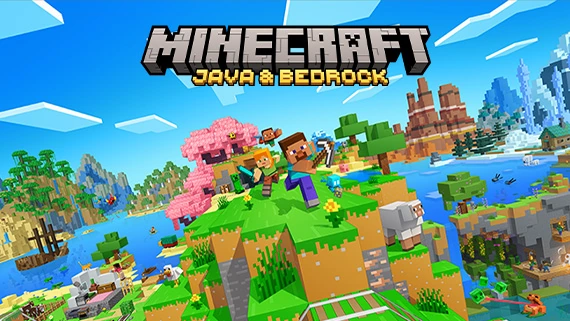
Original game cover; browser project may differ. Image source ↗
What does Players mean?
Players is a popularity-based editorial proxy, not live online players and not measured concurrency. Each entry uses its own recorded popularity evidence: observed GitHub stars or September 2026 Wikipedia pageviews for the original game. The two Q42 puzzles use their developer’s pageviews; projects for the same original game may share a value. We calculate round(sqrt(heat)); the result is neither active users nor unique players. Rounded GitHub displays are retained as observed. Sources and capture dates are available on each game’s detail page. Desktop is the default editorial recommendation when device support is unresolved; positive Mobile and Mobile + Desktop documentation is retained. No new physical-device gameplay test is implied.
Is Minecraft Classic for you?
Its deliberately limited block palette makes the choice simple: build something, rather than manage modern survival systems.
What this browser project includes
Minecraft Classic brings the early 2009 building experience into a browser. Its limited palette of 32 blocks makes it a simple choice for experimenting with shapes and small builds. This is the official Classic release, not the current Java or Bedrock game with modern survival features.
Before you start
Game not loading? Use the safe troubleshooting guide before resetting anything.
Use a browser with working WebGL and WebRTC, as required by the game’s error screen. No original Minecraft installation is required by this official browser release.
How to open this project
On the project site
Use Play to open the project’s own launcher in a new tab, then follow the visible start or data-import instructions. No gameplay completion is asserted.
What to try instead
- OpenTTD — Choose transport networks if planning routes matters more than placing blocks.
- Freeciv-web — Choose turn-based empire building if you want civilization decisions.
Source and project links
Popularity reference: Wikipedia monthly pageviews ↗. Original-game Wikipedia pageviews, not browser-project users. Heat: 175717; captured 2026-10-10. Formula: round(sqrt(heat)).
Notes describe recorded project evidence, not a promise that every mode or device works. Original cover art does not establish the browser project’s content.